
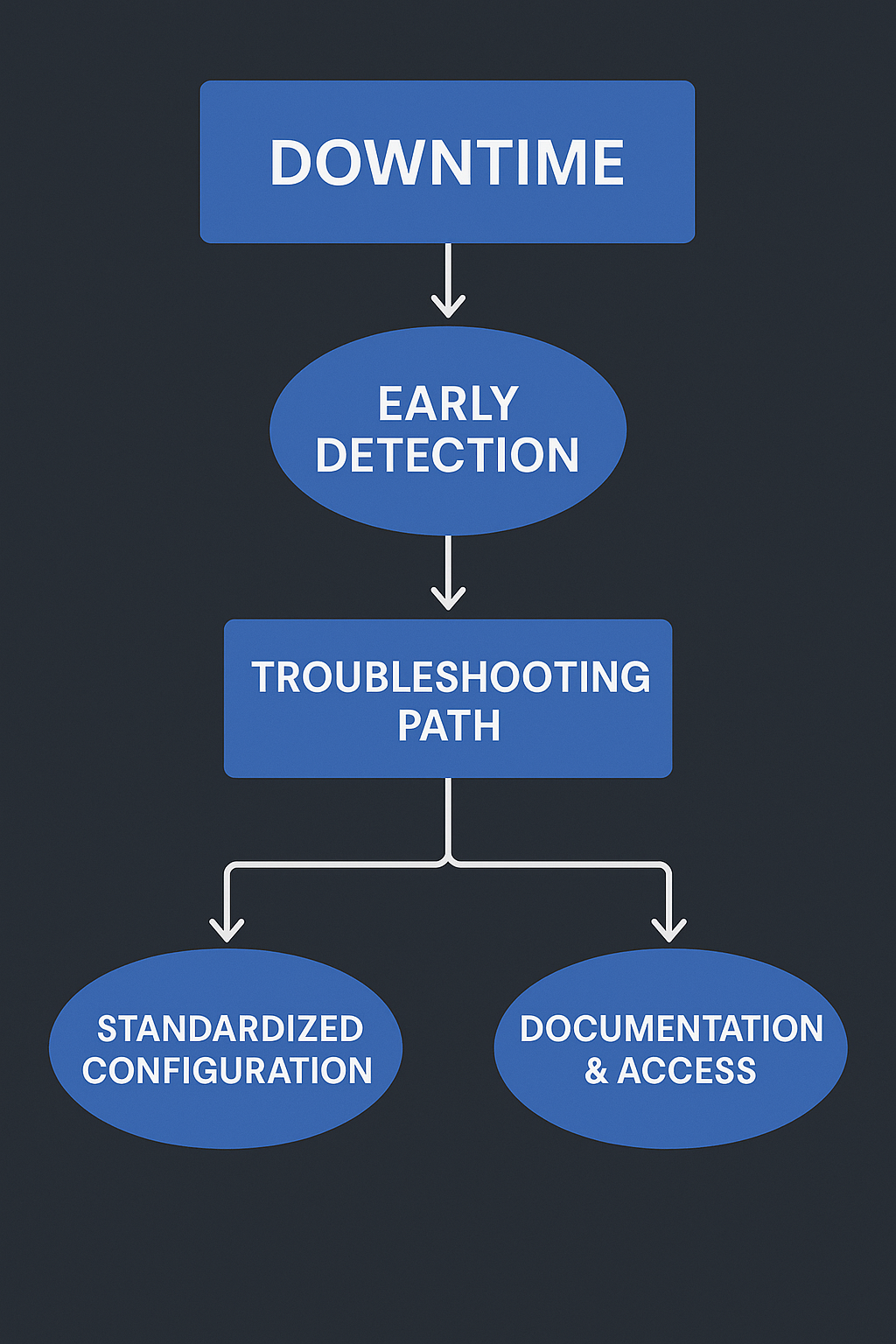
Downtime is one of the few constants in IT.
Even the most stable environments will eventually face:
- An update that fails
- A misconfigured setting
- A malfunctioning app
- A permissions issue
- A service outage from a vendor
- A device that suddenly stops responding
For small and medium-sized businesses, the real risk is not the downtime itself — it’s the lack of predictability in how downtime is handled.
Fast, structured recovery is what separates a healthy IT environment from a fragile one.
As part of my December 2025 IT Knowledge Series, today’s article focuses on how SMBs can build a predictable, consistent way to detect problems early, troubleshoot efficiently, and recover with minimal disruption.
Why Downtime Is Not the Real Enemy
Many teams believe “downtime must be avoided at all costs.”
But in IT Operations, this mindset leads to unrealistic expectations and endless stress.
The truth is:
Downtime is inevitable.
Unstructured recovery is optional.
A well-prepared business doesn’t fear issues — it’s simply ready for them.
The Real Problem: Unpredictable Recovery
Across SMBs, I frequently observe the same pattern when something breaks:
- No early detection
- The same issue appears again and again
- Troubleshooting starts from scratch each time
- Logs or data are missing
- No clear ownership
- Documentation is outdated
- Fixes depend on “the one IT person who knows this system”
- Users wait hours for resolution
This creates chaos, increases stress, and slows down the entire company.
Predictability — not perfection — is the goal.
What Predictable Recovery Looks Like
A business that handles downtime well usually has the following five elements in place:
1. Early Detection Before Users Feel the Pain
Many issues can be detected before they become visible:
- Monitoring systems
- Automated log checks
- Alerts for abnormal behavior
- Device compliance checks
- Automated health scripts
- Update status verification
Earlier detection = earlier response = less downtime.
2. A Repeatable Troubleshooting Path
When the IT environment is structured well, troubleshooting is not creative — it’s procedural.
Examples:
- “If X fails, check Y first.”
- “If user cannot access system Z, verify A, B, C.”
- “If the device is non-compliant, re-run policy N.”
Documented steps save hours every month.
3. Consistent Device Configuration
This is one of the biggest factors in recovery speed.
When every device is configured differently, troubleshooting becomes guesswork.
When devices follow a standard:
- Issues are easier to reproduce
- Fixes are consistent
- Updates behave predictably
- Scripts work the same everywhere
Modern MDM tools (like Kandji, Jamf, Intune, etc.) make this achievable for SMBs.
4. Fewer Admin Accounts and Clear Access Control
Uncontrolled admin rights cause:
- Misconfigurations
- Security gaps
- Inconsistent changes
- Hard-to-trace issues
A predictable recovery environment requires:
- One or two admin accounts
- Clear permission boundaries
- Role-based access
- Logged administrative actions
This reduces the number of variables during incidents.
5. Reliable Documentation (Not Hidden Knowledge)
Every environment should have:
- A troubleshooting knowledge base
- Checklist for common incidents
- Documentation for system dependencies
- Admin workflows
- Configuration standards
- Emergency procedures
The goal is to make troubleshooting independent of “the one person who knows everything.”
The Benefits: Why Predictable Recovery Changes Everything
Businesses that adopt a structured recovery approach experience:
1. Faster Resolution Times
Incidents go from “let me figure this out” to “follow the procedure.”
2. Less Stress for Users and IT
People know what to expect — and what the next step is.
3. Fewer Repeat Issues
Root causes are identified instead of patched temporarily.
4. Better Security
Standardization eliminates accidental vulnerabilities.
5. Strong Foundation for Cloud and Automation
Predictable environments integrate smoothly with cloud services, identity providers, and automated workflows.
Real Examples from IT Operations Work
Here are examples of improvements I’ve implemented for real clients:
- Automated health checks for macOS fleets
- Cleanup of local admin accounts
- Standardization of software versions
- Script-based resolution for recurring issues
- Device compliance remediation
- Access management workflows
- Documentation for frequent support cases
- Monitoring and alerting setup
- Simplified update processes
These changes reduce downtime and build long-term stability.
**Conclusion: Downtime Is Normal —
Chaos Doesn’t Have to Be**
Small and medium-sized businesses don’t need enterprise budgets to achieve predictable, mature IT recovery.
What they need is:
- Good workflows
- Clean configuration
- Better documentation
- Fewer permissions
- Early detection
- A structured approach
If your business wants to reduce downtime stress and improve IT reliability in 2026,
I’m open for conversations throughout December.
zhivko@zlefterov.com