
Hello everyone!
I hope you day started good!
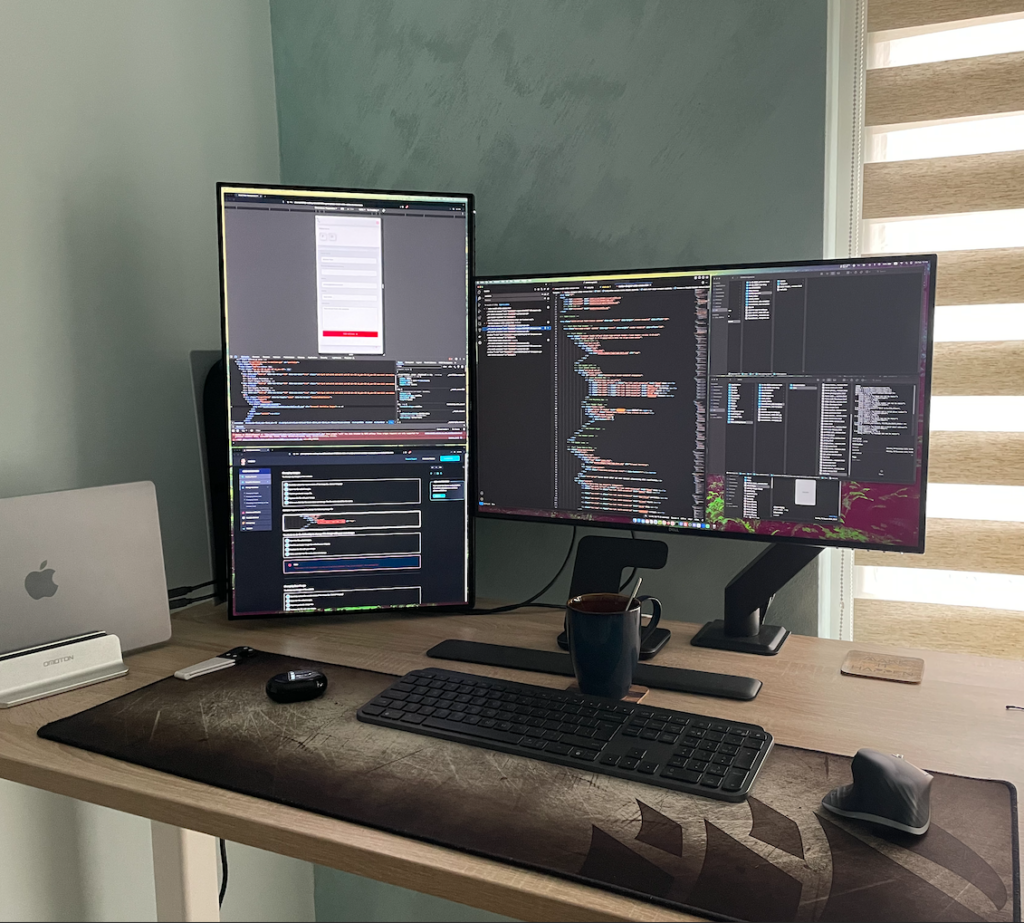
This is a small picture of my setup during my build process.
I’m looking at some webpage guides to build some page which will show something more than “Hello World!” 🙂 , dealing with some file transfers from one place to another and so on… obviously 2 screens full of some stuff…
Sometimes technologies gives us opportunities and sometimes gives us busy time to find something small but when you don’t understand it or have the needed experience – deep dive into internet and guides are required to reach the goals we’ve set.
In this post I’d like to share some updates from my DevOps journey!
As a beginner or entry DevOps engineer I can say that the DevOps world is wonderful!!!
It’s really wonderful as from my perspective is the next step of evolution for the SysAdmin guys like me.
I really Enjoy using most of the DevOps tools. From time to time I lose the lead but maybe this is normal as the tools are not that easy to learn and follow.
Sometimes we need restart our brain and have a solid break from the learning and try to realise what is going on with these tools, try to realise for what they are used for and how to see them from other angel and split it from our own prism.
My Journey started with understanding what and how DevOps works.
DevOps is not set of tools or position but its ideology and way of work as it combines 2 different worlds with its own requirements, understanding and work model.
Dev – Development: it could means lots of stuff but mainly coding of some automation, application creation, build some nice to code to make our product more responsive and easy to use. But also it could mean even more stuff that I’m exploring with on-hands experience as from my perspective this is the best way to learn a new technology or skill -> by doing it!
Ops – Operations: Here is the part where I have most of my experience and I’m glad that I have it as it helps me to understand the workflow more easily and in a practical way.
it’s a mindset, a culture, and a set of practices that aim to break down barriers between development and operations teams. It’s all about fostering collaboration, automation, and continuous improvement throughout the software development lifecycle.
These are just few words that can draw a small picture of DevOps.
The beginning of this journey started with using some of the most tools that DevOps requires – LINUX!
If you have no idea what is Linux, how it works, what can be done with it and so on… it’s better to sit down and start from scratch as Linux is one of the most used Operation Systems in the world for Cloud, server and even desktop/end user use. Also Lots of people can confirm that the Android which lots of people use in their smartphones is based on Linux OS.
Learn to navigate in the terminal, create and delete users, manage users and groups, create folders and files… as I say files – be aware that the extensions in Linux most of the time means just text or part of the name of the file. For example in Docker the configuration file have no extension – guess why! 🙂 Dockerfile
Well from my point of view is because it needs to fit to the most operation systems and work in the same way where ever we put that Dockerfile(Linux, Windows OS or MacOS).
Tool kit overview as beginner
As a beginner in DevOps, it’s essential to familiarize yourself with some key concepts and tools that form the foundation of DevOps practices:
->Version Control with Git: Git is your best friend in the world of DevOps. Learn how to create repositories, commit changes, and collaborate with team members using branches and pull requests.
->Continuous Integration (CI) with Jenkins: Jenkins is a popular open-source automation server that enables continuous integration and delivery(CI/CD).
Start by setting up a basic Jenkins pipeline to automate the build and testing process for the projects that I follow and learn the tools.
->Infrastructure as Code (IaC) with Terraform: Terraform allows you to define and manage your infrastructure as code(IaC), making it easy to provision and configure resources on cloud platforms like AWS, Azure, and Google Cloud but most of the time at this very moment I use my local machine VMs via UTM software as I have Macbook Pro 14″ M2 Pro. I enjoy using my devices but this laptop is great for most use but also it gives me opportunities to learn new technologies like “How Docker will help me to use VMs as with Vagrant at the moment I can build only 1 VM..(which maybe is due to missing some skills with it on this ARM platform) but on Linux I use Vagrant as its really easy to use when you understand how it works)” and more tools which I had to explore because of the different architecture of this laptop’s cpu. But I love it as I learn more stuff 😉
->Containerization with Docker: Docker is revolutionizing the way we deploy and manage applications as the VMs use too much resources on my local machine and I like Docker more than VMs lately. Learn how to create Docker containers, build Docker images, and orchestrate containerized applications using Docker Compose and…
…The journey just started on the right foot! 🙂
At least for me!
Its really good to start with Theory but don’t get lost in it as from my experience you will lose the track of the tool that you are learning for.
I have this experience already and I really don’t like it as after the Theory ended – I had really hard time to start doing some of the stuff by myself.
The tutorial vortex was a real thing for me but I’m working on this to escape as soon as possible and that’s why I started to use my GitHub account more and more to be able to share with you guys what ideas I have and to share them.
My hope was to get some replies on my work but it’s not that easy to get some comments on stuff that are made by a beginner… but I will keep posting my ideas and some projects created by my beginner’s experience and ideas! 🙂
…Get back on the topic where the Theory and Practice clashes…
I started with simple steps and the understanding how Jenkins works and as whole CI/CD pipelines.
Configure Jenkins to automatically build and test my code whenever changes are pushed to my GitHub repository.
Not an easy stuff… it took me some time to understand and improve the stuff that I do but its mind work which will give some very good low fruits to take in the future.
I got some knowledge on Terraform and how to use it and provision some stuff in the Cloud.
I’m using mainly Amazon EC2, S3 and some network services to put my stuff in the cloud just to get the knowledge in there instead of my local VM/Containers.
But its almost the same with the difference that you can build way better infrastructure in way shorter period of time than on a local machine.
Do I enjoy using AWS – sure… I really open to know more in a professional field not just from some online project around the internet as Google Cloud Platform(GCP) and Azure are also some good alternatives for Cloud computing.
Recently I started to put my Python personal projects in GitHub but also using Docker to containerize my stuff as other people would like to try my ideas – they could be useful like the YAML <-> JSON converter… it sounds reasonable for me at that point when the idea hit me.
Thank you for spending some time to read about my DevOps journey.
I can’t share everything with you in one post but I will be glad to have your comments and proposals how I can improve my DevOps experience further 🙂
The next few topics in my list are Git, Jenkins(to add some more stuff and understanding how the plugins work in different situations),Terraform, Kubernetes, Networking with Docker and k8s, also some service and microservices stuff.
I’m sure that Ansible will keep popping up in my work as Python and maybe Bash…
Looking forward to share with you my experience.
Please excuse me that I don’t have Linux on bare metal yet but this is some other project that will be implemented on a bit later stage!
Thank you again for your time!
Read, share and feel free to comment 🙂
Let’s contact!
kr
Zhivko